SoF on widescreen displays
Note: SoFplus client can now be used to change your resolution and FOV. The patch and widescreen menus below are not needed anymore. Delete the widescreen menus, because they will interfere with the improved version that's in SoFplus. Change the _sp_cl_vid_mode_0 .. _sp_cl_vid_mode_9 and _sp_cl_vid_fov cvars in-game, or edit those cvars in your user/config.cfg file.
An unpatched SoF only supports a screen aspect ratio of 4:3. The table below shows the supported resolutions (you can list them in SoF with the 'vid_modes' command):
| gl_mode | X-resolution | Y-resolution |
|---|---|---|
| 0 (disabled) | 320 | 240 |
| 1 (disabled) | 400 | 300 |
| 2 (disabled) | 512 | 384 |
| 3 | 640 | 480 |
| 4 | 800 | 600 |
| 5 | 960 | 720 |
| 6 | 1024 | 768 |
| 7 | 1152 | 864 |
| 8 | 1280 | 960 |
| 9 | 1600 | 1200 |
Some players are using widescreen displays with other aspect ratios, like 8:5 (16:10) or 16:9. When they play SoF in fullscreen mode, the image is distorted (squeezed vertically/stretched horizontally), but the amount of information that is displayed, is the same.
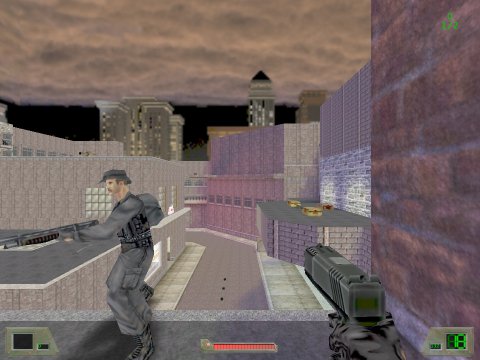 | Unmodified SoF on 4:3 display |
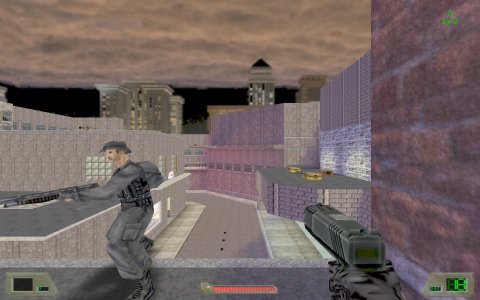 | Unmodified SoF on 8:5 display (distorted) |
SoF.exe resolution patch
Do not use this patch or the modified menus. Use SoFplus instead.
Warning: If you modify your SoF.exe, anti-cheat software may complain about it. All anti-cheat software for SoF (Haxorcist, WaX, UAC3) is currently obsolete / unmaintained and it's unlikely that a new anti-cheat will ever be developed.
Download this patch to change the hardcoded resolutions of SoF.exe. This will allow you to play SoF in fullscreen mode on widesceen displays without getting image distortion.
You should also download these modified menus that will fit in the new screen aspect ratios. If you keep the original menus, the bottom part of the menus may not be visible.
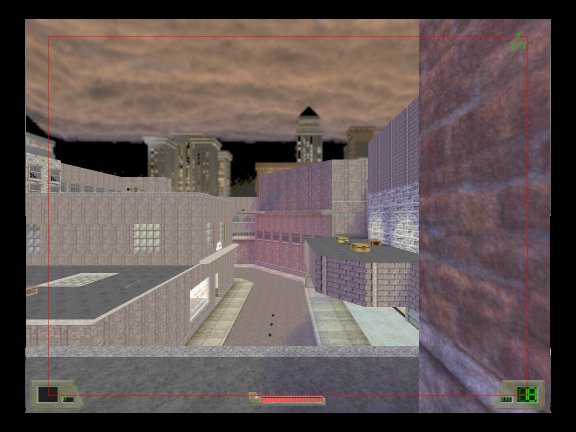
Note that the horizontal FOV isn't changed, so you will actually see less instead of more. Since the missing information is at the top and the bottom, I don't consider this a big problem. The example 8:5 image below shows this. The red box indicates what area would have been visible with an aspect ratio of 4:3.
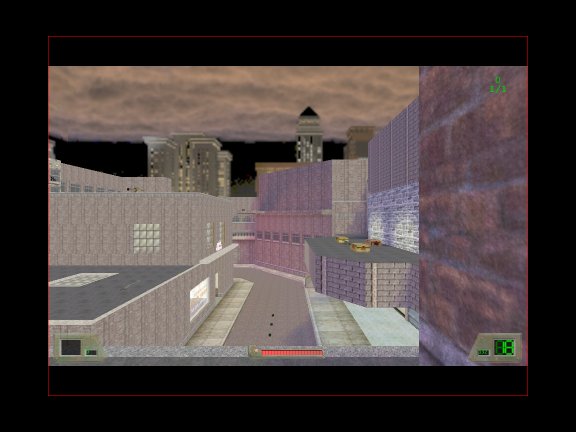 | Patched SoF on 8:5 display |
SoFplus resolution and FOV changes
I'm still working on this. This will be in the next relase of SoFplus. Feel free to inform me about your opinion on the FOV subject... The SoFplus client with resolution and FOV changes has been released.
I've added new cvars (_sp_cl_vid_mode_0 .. _sp_cl_vid_mode_9) to the SoFplus client to let you set any resolution you want. See the SoFplus manual for more details.
I've added a cvar (_sp_cl_vid_fov) for changing the FOV. See the SoFplus manual for more details. It was not easy to come up with something that's fair for players with 4:3 and 8:5 displays. Using a FOV of 100 for 8:5 displays results in the same amount of information on the screen as a FOV of 95 on a 4:3 display, but it probably gives the players with the 8:5 display an advantage, because information on the left/right is more important than on the top/bottom.
Almost every other game with widescreen support keeps the vertical FOV locked, which means that the horizontal FOV changes with different aspect ratios. For SoF this would mean that players on 8:5 displays would get a horizontal FOV of 105.
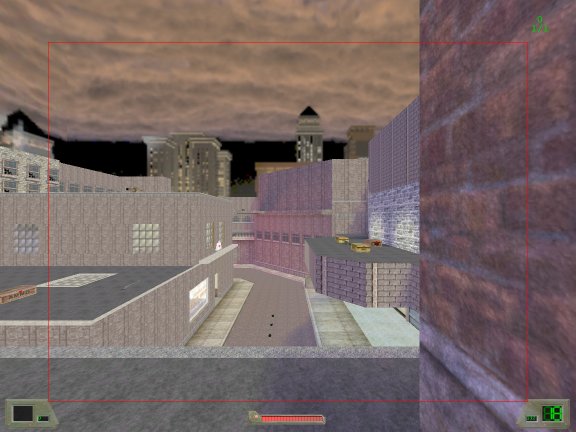
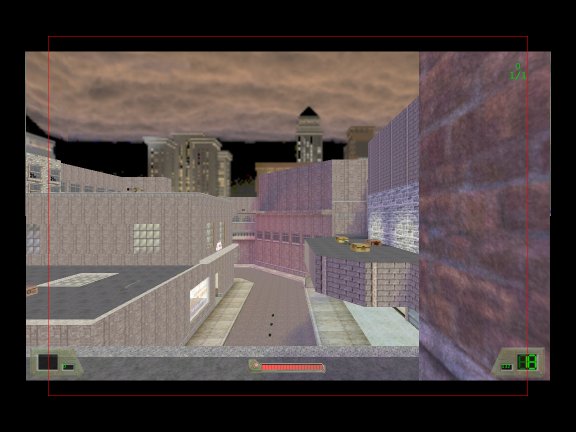
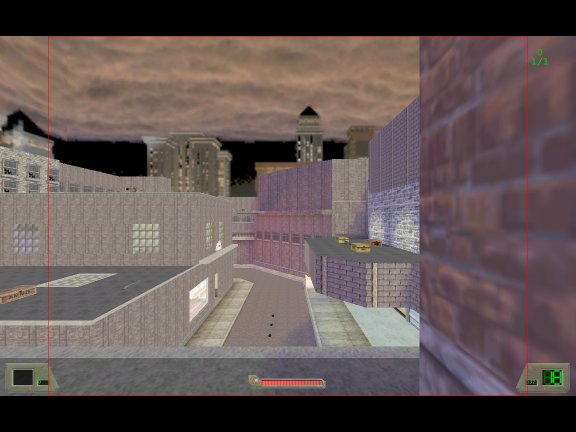
The images below show how FOV affects the amount of information that's on the screen. The red box indicates what information is on the screen on a 4:3 display with FOV 95 (the current SoF default).
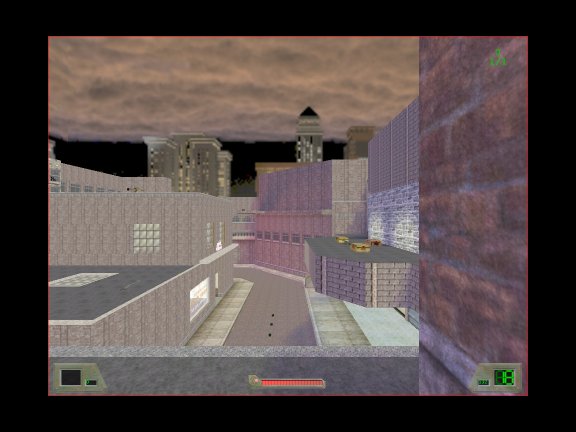 |
|
||||||||
 |
|
||||||||
 |
|
||||||||
|
|
||||||||
 |
|
||||||||
 |
|
The images below show how FOV settings affect the displayed image. Note that a changed FOV also affects gameplay: Small FOV makes the game feel slow and large FOV makes it feel fast (your real speed is always the same). You can try this yourself by walking around with the sniper rifle. When it's zoomed in, your FOV is very small and the game will feel slow.
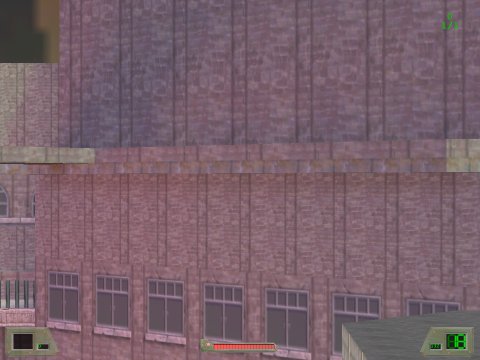 | FOV 20 |
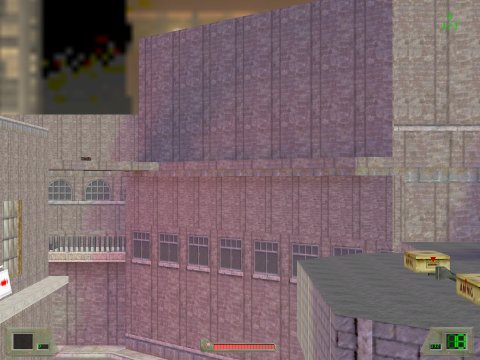 | FOV 35 |
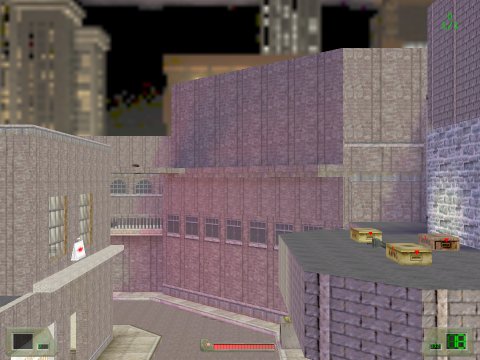 | FOV 50 |
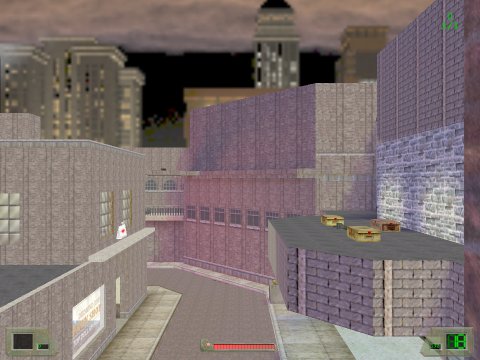 | FOV 65 |
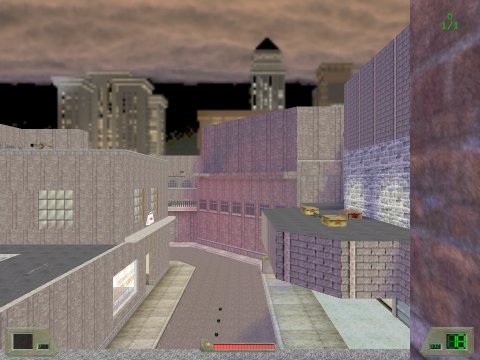 | FOV 80 |
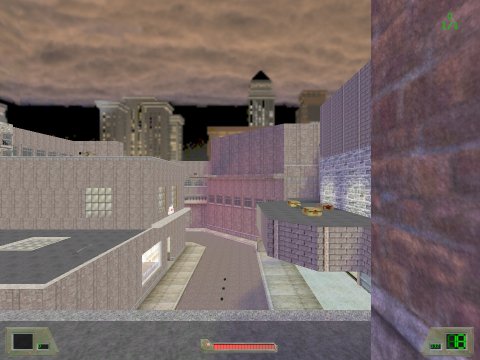 | FOV 95 SoF default |
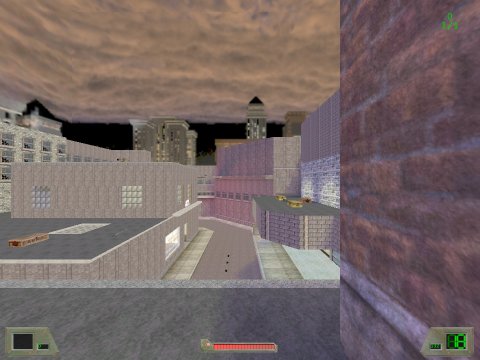 | FOV 110 |
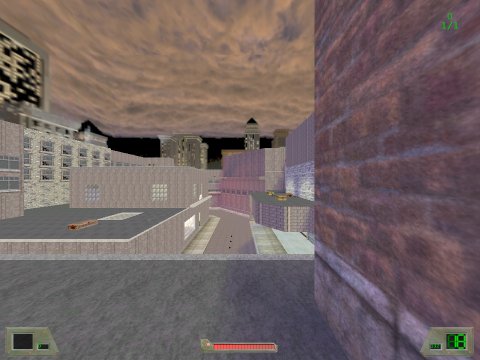 | FOV 125 |
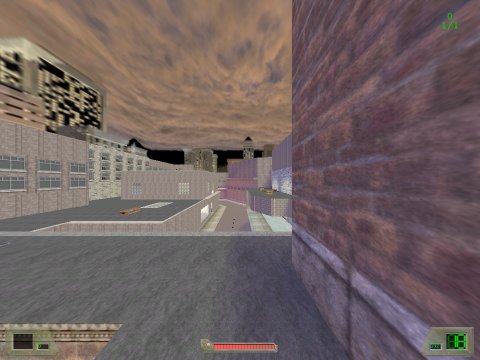 | FOV 140 |
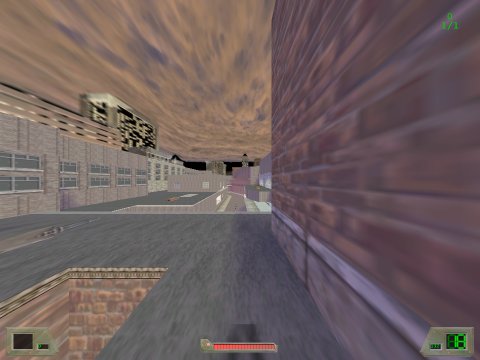 | FOV 155 |
